
Live Workout Display
Instrument-grade readouts, while you move.
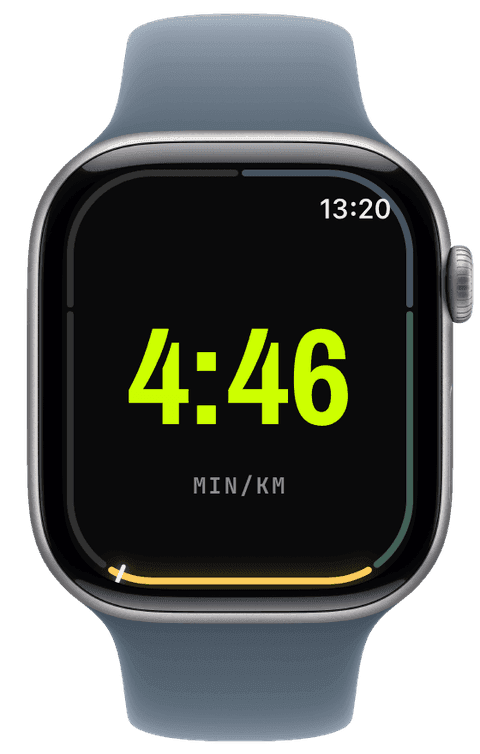
On the wrist, Runara renders the exact screens you designed and drives them with a HealthKit workout session, so the app stays foregrounded for the entire effort, no surprise suspends mid-run.
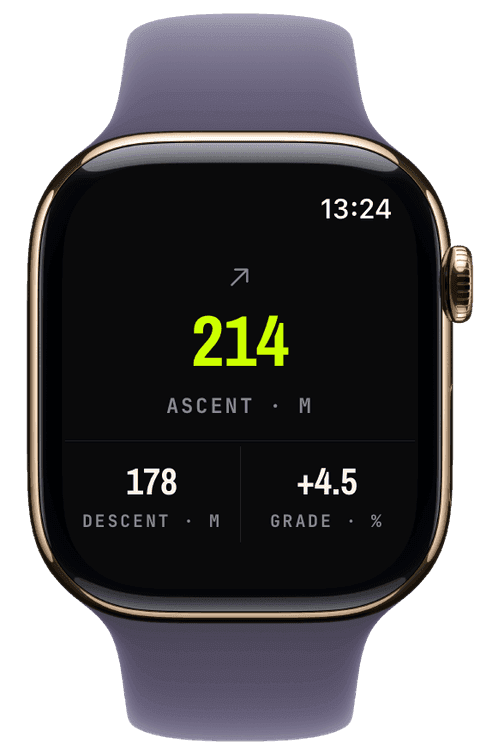
Speed, heart rate, distance, elevation, and cadence update live, including noise-gated total ascent, descent, and current grade that ignore GPS jitter, with total ascent joining the summary card at the end. Outdoor activities record GPS; swimming engages water lock automatically. State changes land with a precise haptic, and screen transitions take a deliberate 120 ms so numbers stay readable when you are breathing hard.
Every sample flows straight into Apple Health as you go, which means the workout is already saved correctly the moment you tap stop.
Motion follows one rule: boundary moments celebrate, live numerals stay still. A 3-2-1 countdown with haptic ticks leads into tracking, pausing dims the screen, and the summary rolls its numbers up like an odometer, but nothing ever animates while you’re mid-effort reading a value. Every animation collapses under Reduce Motion.
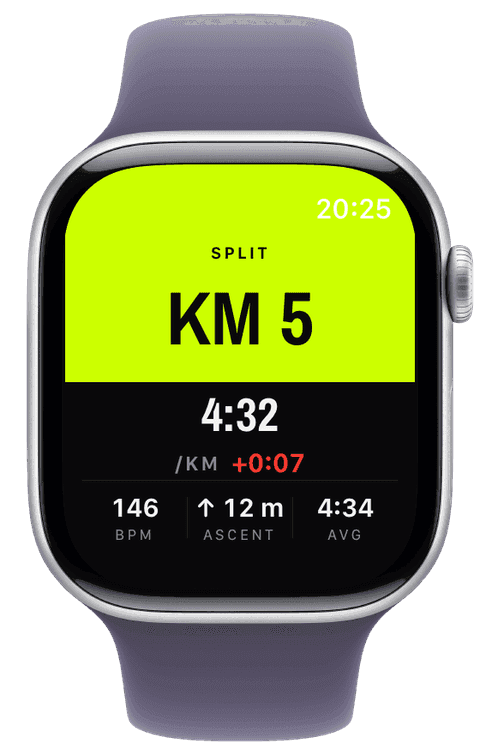
The wrist also tells you how each kilometre went. At every kilometre or mile a full-screen split card shows the split time, how much faster or slower it was than the last one, average heart rate, ascent and your overall average pace for six seconds, drawn in the style of the screen you’re on, and an Average Pace widget keeps the whole workout’s pace in view. The card can fire every 1, 5 or 10 km, only at your own segment splits, or not at all, set per sport on the iPhone.
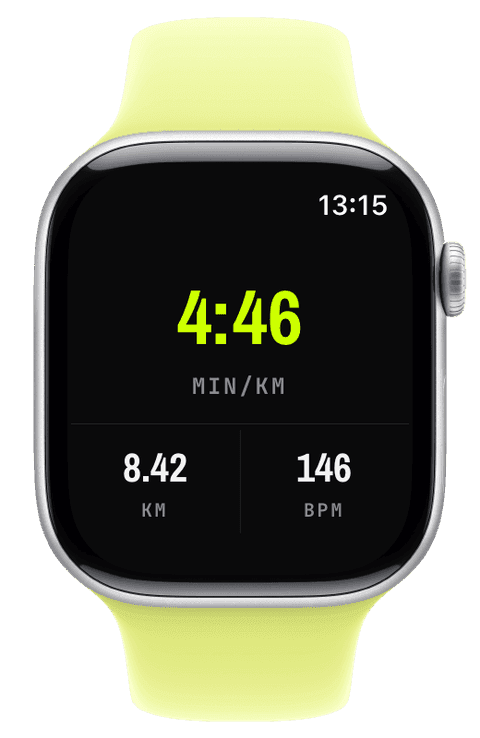
Start a workout and a 3-2-1 countdown with haptic ticks lands on GO, tracking begins in the same instant, so the countdown costs you nothing.
The session runs as a real HealthKit workout, which keeps Runara frontmost on the watch for the entire effort and snapshots your metrics every second, elapsed always ticks.
Pause and resume with correct time accounting, or let auto pause do it for you on runs, rides, walks and hikes. Double-tap the screen, pinch with the hardware Double Tap gesture, or press the Ultra’s Action button to start a new segment, a lap, a climb, or a set, confirmed by a haptic and a volt “SEG” flag.
Press and hold a speed, pace, or cadence widget mid-workout to change its smoothing window, display only, the saved workout keeps the raw truth. Stop, and the workout is already saved (a session under 30 seconds asks first); discard, and it is really gone.
Does the app stay on screen for the whole workout?
Yes. The workout runs as a HealthKit session, which is watchOS’s own guarantee that the app stays frontmost from start to stop, raise your wrist and your screen is there, not the watch face.
Does smoothing change what gets saved?
No. Smoothing is a display window, 5 to 30 seconds, or off, applied to speed, pace, and cadence on screen. The samples written to Apple Health are always the unsmoothed originals.
Can I trade GPS accuracy for battery?
Yes, three tiers: Best (5 m filter), Balanced (10 m), and Battery saver (25 m). Long hikes and ski days run comfortably on Balanced or Battery saver; races deserve Best.
The watch that stops when you do
Runara 1.7 brings the most requested feature, auto pause, and a readiness verdict that listens to your HRV and resting heart rate, just as Apple Watch Series 12 and Ultra 4 start measuring HRV far more often.
→The run I lost to a beta OS
A 6 km run in the July heat where my own app would not record and would not stop, the 1.5 km it cost me, and the watchOS 27 beta bug I had to fix in a build compiled against the old SDK.
→Live metrics, and maps that work where the signal doesn't
Getting real numbers on the wrist, then teaching the watch to draw a map with no cloud and no signal. Plus the bugs that fought back.
→