Rowing App for Apple Watch
Custom Rowing screens on Apple Watch, live with heart rate and your real zones, no GPS needed.
On the erg, focus on effort. A split effort view or a four-up dashboard keeps your heart rate, zones, time, and energy in view through every piece.
Erg pieces are interval training by nature, and Runara treats them that way: build the session as work-and-recovery blocks on the iPhone, and the watch counts each piece down on a slim header while your zones tell the honest story the monitor’s split hides.
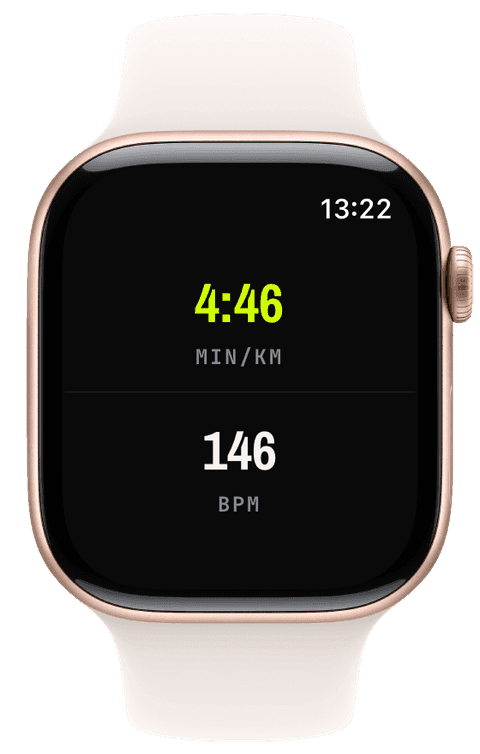
The watch and the monitor, side by side
The erg’s monitor already knows your split and stroke rate; what it does not know is you. The watch adds the body’s side of the session: continuous heart rate against your five zones, energy, and time, recorded as a proper rowing workout in Apple Health rather than numbers that die when the monitor resets.
Runara does not pair with erg electronics, the two machines simply each do their job, the monitor paces the piece, the watch records the athlete. A zone band behind the numbers shows drift in the third thousand metres that the split alone never admits.
Structured pieces, counted down
Build 4×2000 m or an EMOM-style ladder as an interval plan, and the watch shows purpose, remaining time, and the next piece on its header, advancing automatically and speaking transitions if you want them. Sessions count toward the indoor achievements, durations, counts, and weekly streaks, and their heart-rate effort feeds your training load like any run.
- Heart rate & zones
- Continuous heart rate against your five real zones, live as badge, bar, ring, or a full zone-band background.
- Intervals
- Work-and-recovery blocks with time, distance, or open goals, counted down on the header with the next piece previewed.
- Elapsed & segment time
- Total time plus per-piece time via the New Segment button, each piece its own split afterwards.
- Active energy
- Energy for the session, written to Apple Health and part of the training-load ladder when heart-rate data is thin.
Our pick of watch screens for this sport — designed in the Runara screen designer, ready to run on your wrist.
Type the code into the Runara app to import the set, or customize a copy in the designer and share your own.
Interval Training Plans
Build interval workouts on iPhone with pace targets per step, then follow them with a slim on-watch header.
→Heart-Rate Zones
Zones anchored on your actual resting and peak HR, with a colour-blind-safe band you can read at speed.
→Live Workout Display
Your configured screens render on Apple Watch with real-time metrics, GPS, and haptics, legible at a glance under load.
→Workout History & Splits
Browse every saved workout with route maps, per-segment splits, and full metric detail.
→Achievements
A trophy room of eighty achievements across sixteen workout types, with engraved cups and a celebrating parrot.
→Does Runara pair with a Concept2 or other erg monitors?
No. Runara records what the watch measures, heart rate, time, energy, and keeps the erg’s own numbers on the erg. The value it adds is the athlete’s record: zones, training load, history, and a clean rowing workout in Apple Health.
Can I keep heart rate in view through a whole piece?
Yes, that is the point of the screen: a big heart-rate numeral or zone ring, a zone band behind everything, and a heart-rate diagram of the session so far. Between pieces, the splits page shows what each one cost.
Can I row structured intervals?
Yes. Build the pieces as an interval plan on the iPhone, time-based, or open-ended with a manual Next, and the watch counts them down, buzzes the transitions, and can speak them too. The plan-progress widget grows into any slot you give it.
Track Rowing your way
Runara turns your Apple Watch into a custom Rowing computer. Native and private, free for your first three workouts, then one purchase unlocks everything, no account, no subscription.