
Workout History & Splits
Every session, mapped and split.
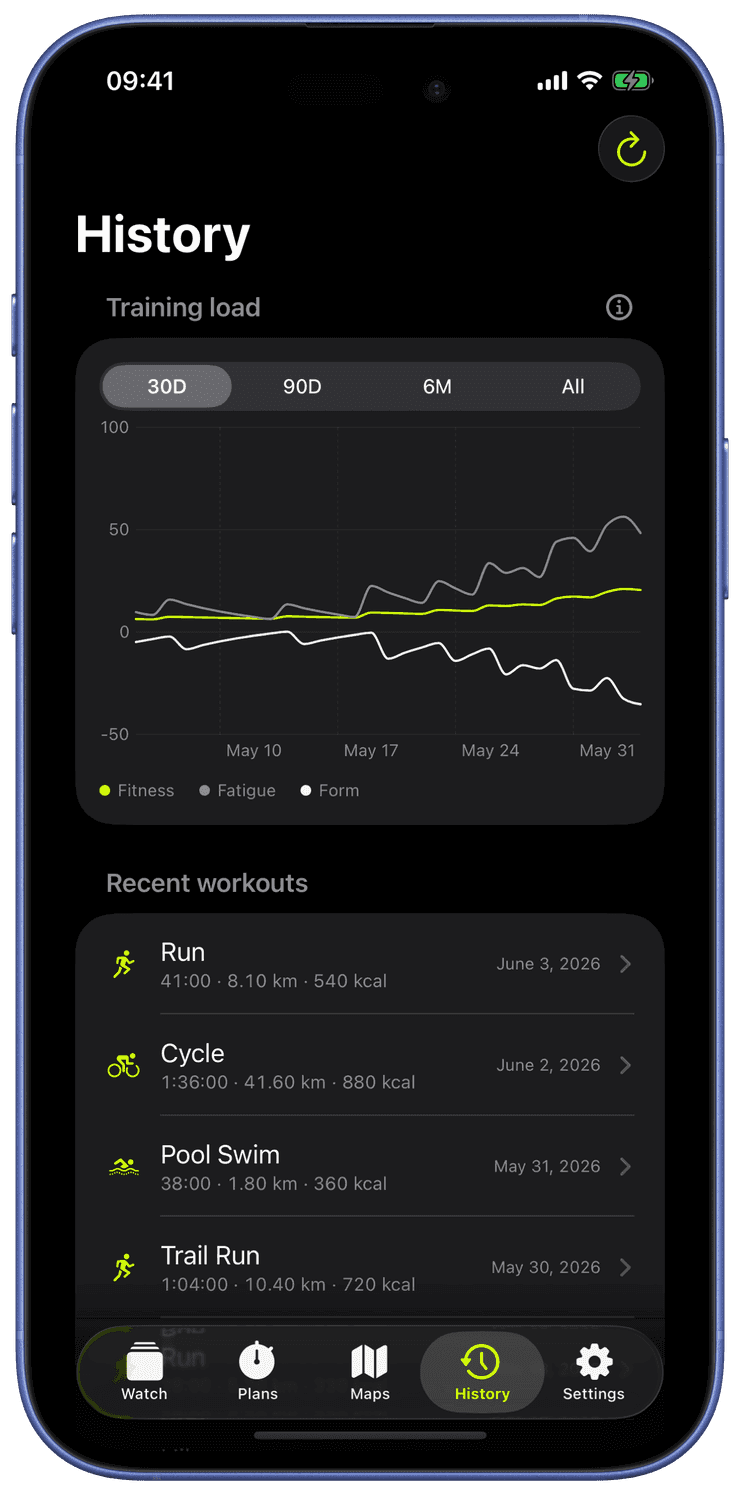
The History tab lists every workout saved to Apple Health with its date, type, duration, distance, average and max heart rate, and active energy.
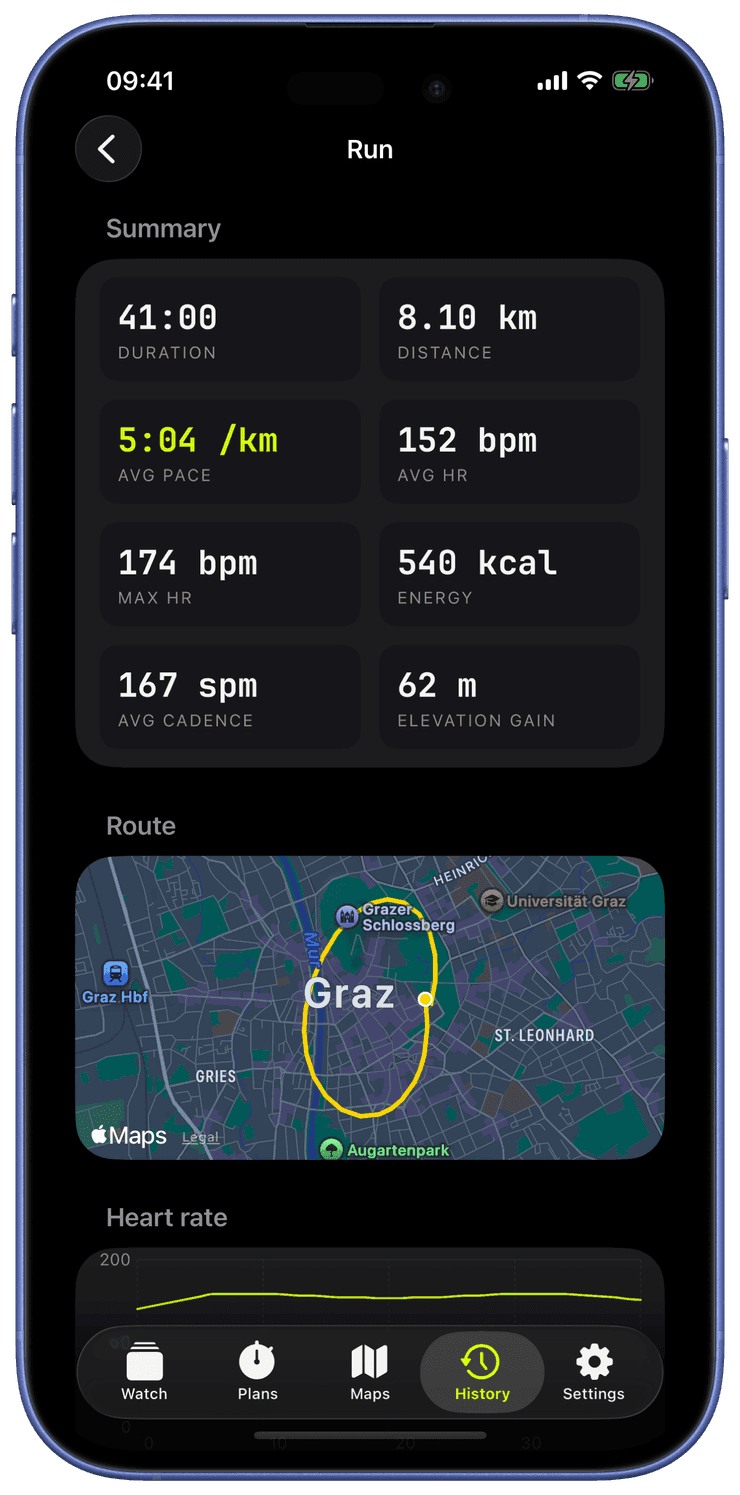
Open one to see the full route map for outdoor activities, per-segment splits with distance and duration, and metric diagrams, the round-trip from your wrist to Apple Health and back, fully readable.
History is also home to the training-load chart and the achievements trophy room, so your long-term picture, fitness, fatigue, form, and the cups you’ve earned, lives next to the workouts that produced it.
Every detail chart marks where your segments began and shades the stretches you spent paused, whether you paused by hand or auto pause did it for you, and cadence is drawn from the real recorded series. Readiness sits under the training-load chart too, with your HRV and resting heart rate against their baselines.
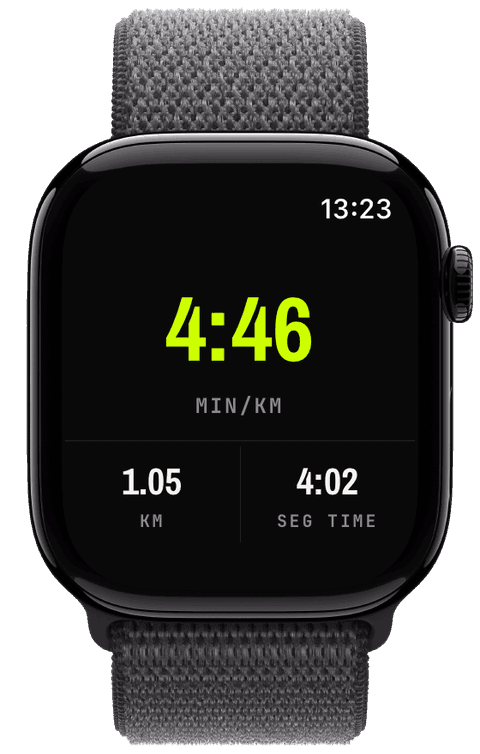
During the workout, a splits page on the watch lists every segment as it happens, the open one tagged LIVE, each with distance and average pace in your unit.
Finish, and the summary card rolls its numbers up, total ascent included, and grows a NEW TROPHY strip when the session unlocked an achievement.
On the iPhone, History opens with the training-load chart, then your workouts. Each detail view holds the auto-fitted route map, a summary grid, the four metric diagrams, and the splits table with its volt-tinted pace column.
Two actions close the loop: Save as route turns the workout’s track into a followable route, Share GPX exports it with elevation and timestamps.
Are my splits saved into Apple Health?
Yes, every segment is written as a workout event with its real distance metadata, so the splits survive the round-trip: what the watch showed live is what History reads back later.
Can I get my workout out of Runara?
Twice over. The workout already lives in Apple Health, readable by any app you allow, and Share GPX exports the full track, elevation and timestamps included, for any tool that speaks GPX.
Can I see splits during the workout, not just after?
Yes, the splits page is live: swipe to it mid-run and the current segment ticks in front of you, LIVE tag and all. New Segment starts the next entry with a haptic you can feel without looking.
The honest polish: shipping v1
Two focused weeks, a wall of small fixes, real device bezels for the screenshots, and an honest accounting of what building this with Claude was actually like.
→A clean round-trip to Apple Health
Saving every workout back to Apple Health with its route and splits, and the data-loss bug I caught one save before it would have wiped real settings.
→