
Live Weather
Temperature, wind, UV, sunset, altitude, on your screen.
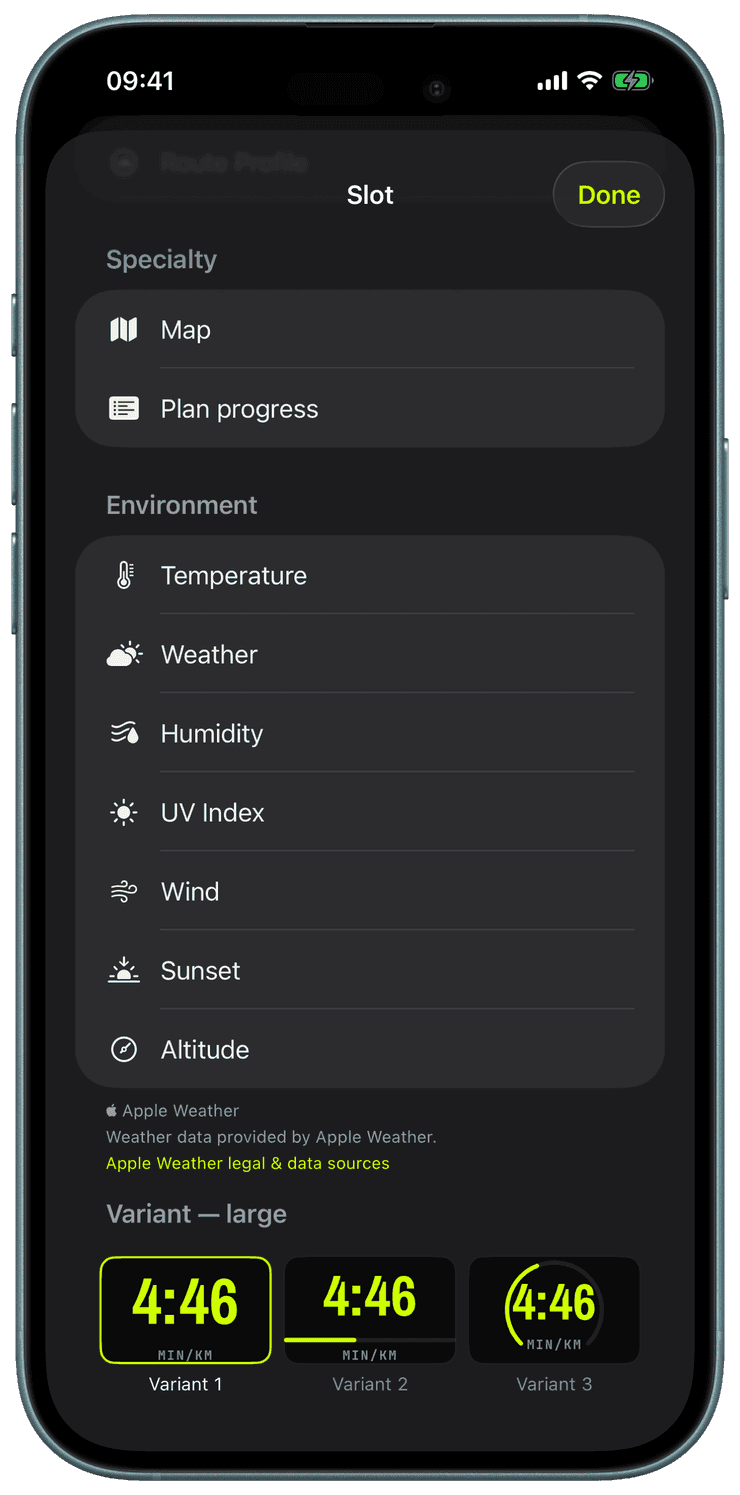
The slot picker gains an Environment category with seven widgets: temperature, weather condition, humidity, UV index, wind, sunset, and altitude. Each drops into any workout-screen slot like every other widget, and most carry variants, actual or feels-like temperature, dew point instead of humidity, gusts and a direction arrow for wind, a countdown or a clock time for sunset.
The watch fetches conditions itself from Apple Weather: once on the first GPS fix, then refreshed every fifteen minutes or five kilometres and cached across signal dropouts, so the numbers stay honest deep into a long session with the iPhone at home. UV severity borrows the heart-rate-zone color ramp, and past sunset the countdown quietly looks ahead to the next sunrise.
Altitude reads the barometric altimeter on Apple Watch Series 6 and later, with a GPS fallback on older watches, and can label its source right on the widget. Units follow your settings, Celsius or Fahrenheit, km/h or mph, and as with everything in Runara there is no account and nothing leaves your devices.
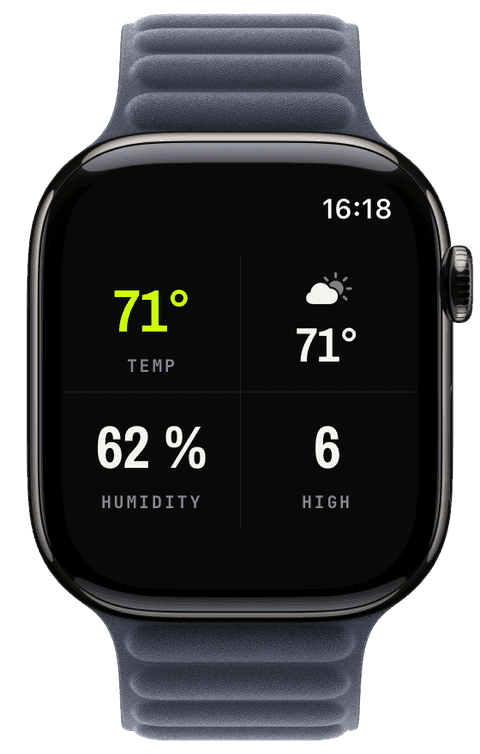
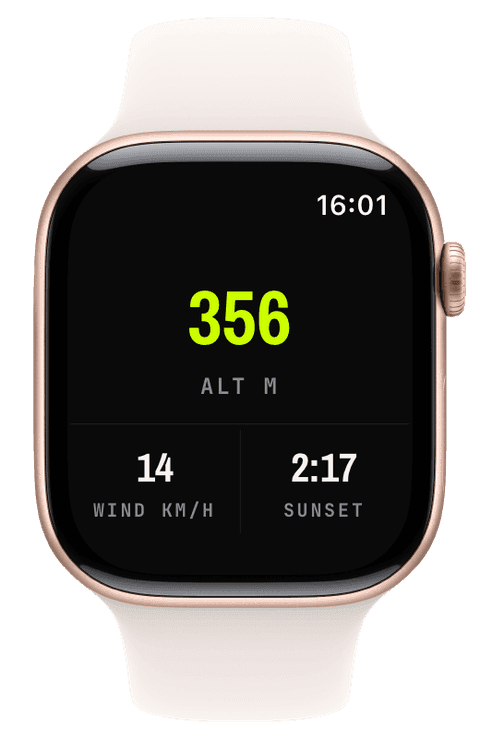
Pick a slot in the iPhone configurator or the watch slot editor and choose a widget from the Environment category.
Tune the variant per widget: feels-like or measured temperature, dew point, gusts, direction arrow, countdown or clock time.
Start a workout; the watch fetches conditions at the first GPS fix and keeps them fresh every fifteen minutes or five kilometres.
Read the conditions mid-workout like any other metric, cached across dropouts, no iPhone required along the way.
Does the weather work with the iPhone left at home?
Yes. The watch talks to Apple Weather itself over its own connection, and every reading is cached, so a dropout mid-trail keeps showing the last honest numbers instead of blanks.
Where does the weather data come from?
From Apple Weather (WeatherKit), the same service behind the built-in Weather app, requested directly by the watch. No third-party weather service, no account, and your location goes to Apple under the same terms as the system Weather app.
How accurate is the altitude widget?
On Apple Watch Series 6 and later it reads the barometric altimeter, the most stable source on the wrist; older watches fall back to GPS altitude. An optional tag on the widget shows which source you are looking at.