
3D Flyover
Relive every route as a cinematic replay.
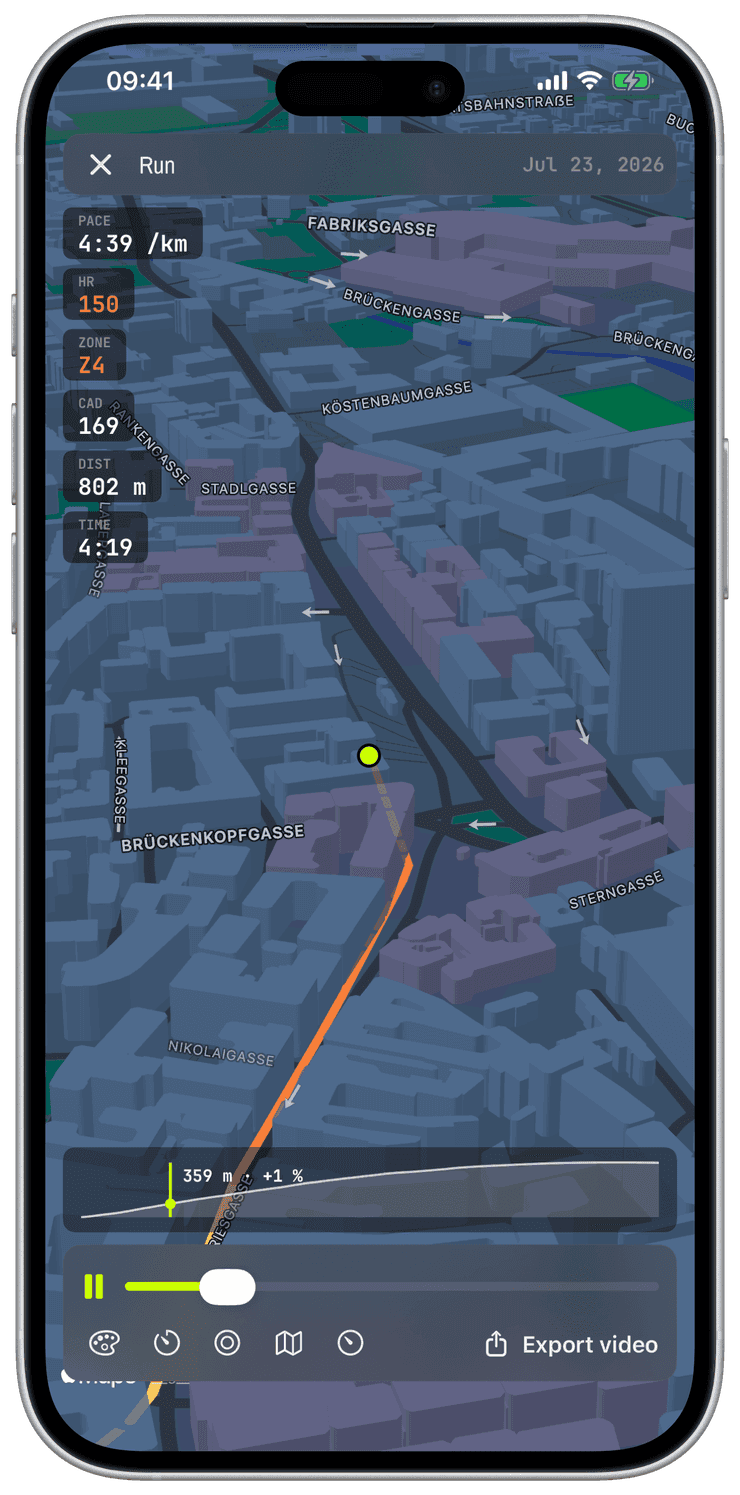
Open any workout with a GPS route in History and the Route section offers a 3D Flyover: a full-screen cinematic replay where a chase camera flies the course over realistic 3D terrain while a dot re-runs your workout at its recorded pacing, pauses collapsed. Compress the whole session into thirty, sixty, or ninety seconds, scrub to any moment, and let the dive-in intro set the scene.
The traveled line is a data track, not just a trace: color it by heart-rate zone, heart rate, pace, elevation, or cadence, and read live chips for pace, heart rate, cadence, distance, and time as the dot moves. Pick a dot style, Volt, Minimal, or the parrot plumage, choose the cartography, Apple standard, satellite, or hybrid, or the OSM Outdoor trail map, and follow the smoothed elevation ribbon with its live altitude-and-grade cursor.
Two styles go further and rebuild the scene as true 3D. OSM 3D builds real terrain meshes from elevation data, so actual ridgelines rise, fall, and occlude the route ribbon draped over them, and city blocks grow buildings extruded at their real OpenStreetMap heights, toggleable instantly mid-playback. Satellite 3D drapes satellite imagery over the same engine. Both play and export like every other style, rendered entirely on the iPhone.
When a replay is worth keeping, export it as a branded 1080×1920 video with the workout stats burned in, ready for the share sheet or your Photos library. And when a video is more than you need, share any workout as a branded still poster straight from its detail page, the route’s shape in volt over the key numbers, produced in one tap, indoor sessions included. Everything renders on the iPhone itself; without a network the flyover falls back to a flat map and keeps playing, and your route never leaves your devices.
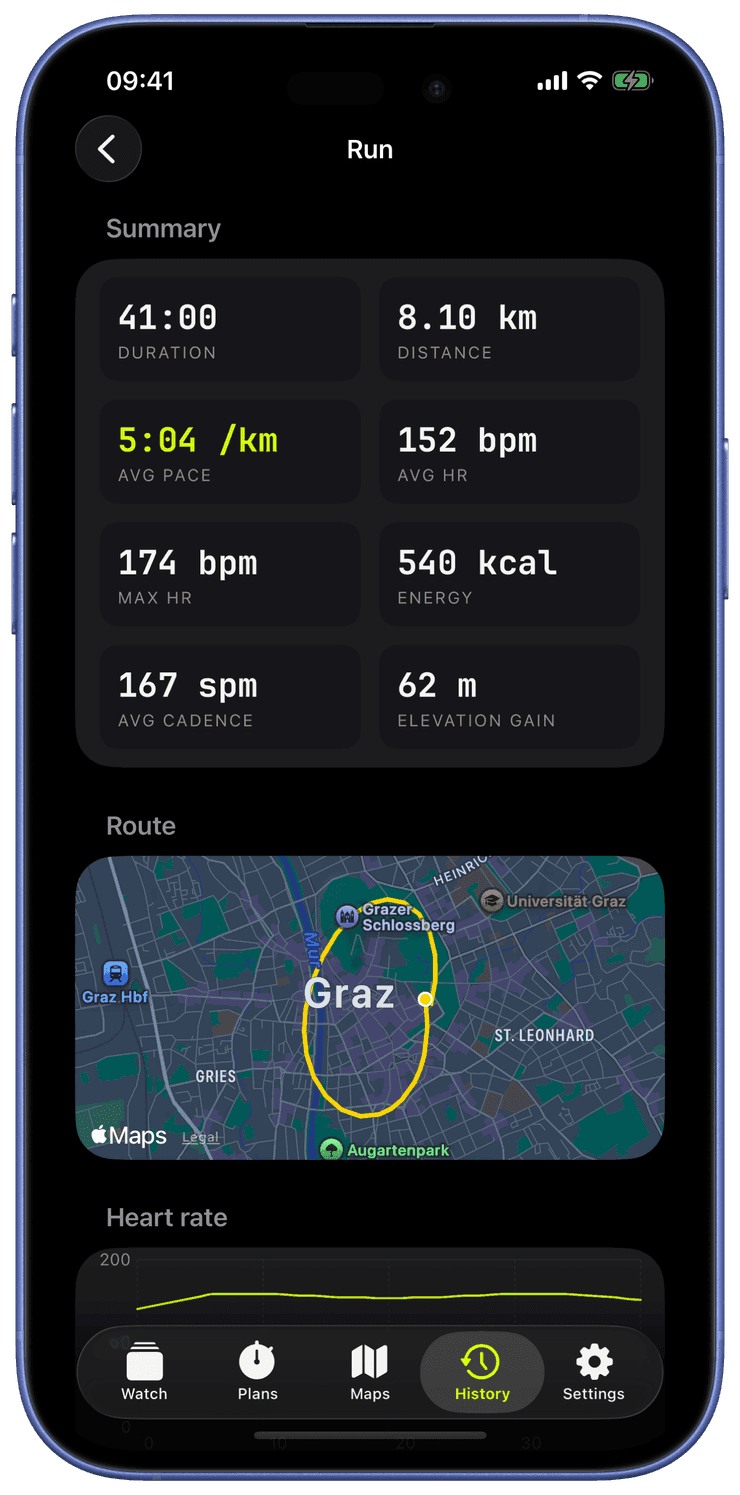
Open a workout in History, any one recorded with a GPS route, and tap 3D Flyover in the Route section.
Pick a duration, thirty, sixty, or ninety seconds; the dot stays proportional to your real recorded speed either way.
Choose the line metric, dot style, and map style, up to the true-3D OSM 3D and Satellite 3D, and toggle 3D buildings, the elevation ribbon, and live readout chips to taste.
Play and scrub the replay, or export the branded vertical video and send it through the share sheet or save it to Photos. A still poster of any workout is one tap from its detail page, no flyover required.
Which workouts get a flyover?
Any workout recorded with a GPS route: runs, rides, hikes, ski days, open-water swims. Indoor workouts without a route simply do not show the button, there is nothing to fly over.
Does the flyover work without a network connection?
Yes. The 3D terrain needs map data from the network, so offline the flyover drops to a flat map with a short notice, but playback and video export keep working exactly the same.
Where does the exported video go?
Wherever you send it, and nowhere else. The video renders on the iPhone and goes out through the standard share sheet, or into your Photos library with an add-only permission. Nothing is uploaded, there is no Runara server to upload to.