
Readiness & HRV
Your load says train. Your heart gets a vote.
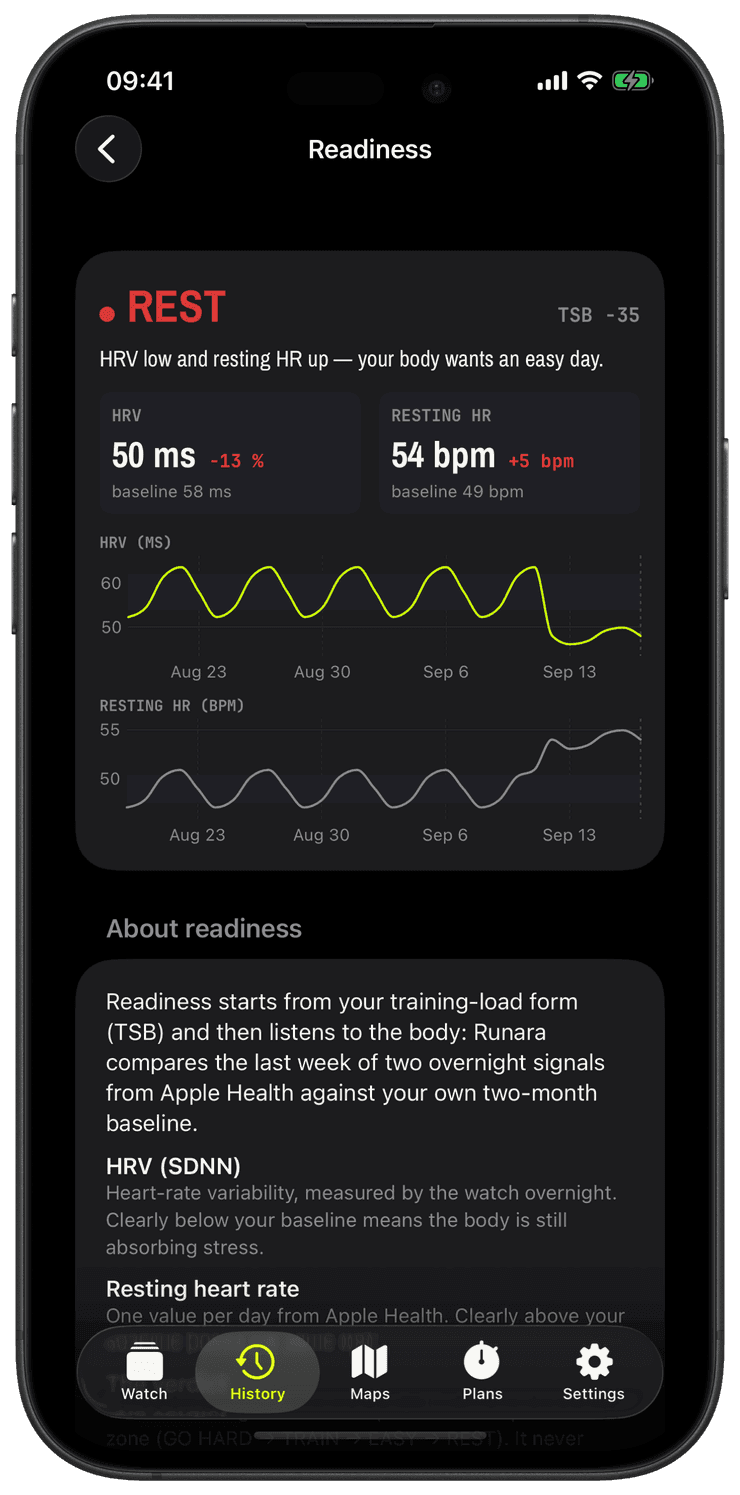
Apple Watch Series 12 and Ultra 4 bring Apple’s Health Sensing System, and Apple says they measure heart rate variability as often as every five minutes, 24 times more often than earlier models. HRV is one of the clearest signals of how well your body absorbed the last few days, and Runara’s readiness verdict is built to use it.
The starting point is your training load: your form (TSB) decides between GO HARD, TRAIN, EASY and REST. On top of that, the iPhone reads the HRV and resting heart rate your watch saves to Apple Health, compares the last seven days with your own previous 60, and when either signal says your body is strained, the verdict drops one step. A suppressed HRV after a hard week turns “TRAIN” into “EASY”, however good the load numbers look.
Each day counts as the median of that day’s HRV readings, so one wild sample can’t own it. The denser the HRV history your watch writes, the steadier that median and your baseline become, which is exactly where Series 12 and Ultra 4 shine. Readiness works with any Apple Watch that records HRV to Apple Health; Series 12 and Ultra 4 simply give it much more to work with.
Everything is computed on your iPhone, from data already in Apple Health. Nothing is uploaded, and if you don’t grant the HRV read, readiness simply follows your training load.
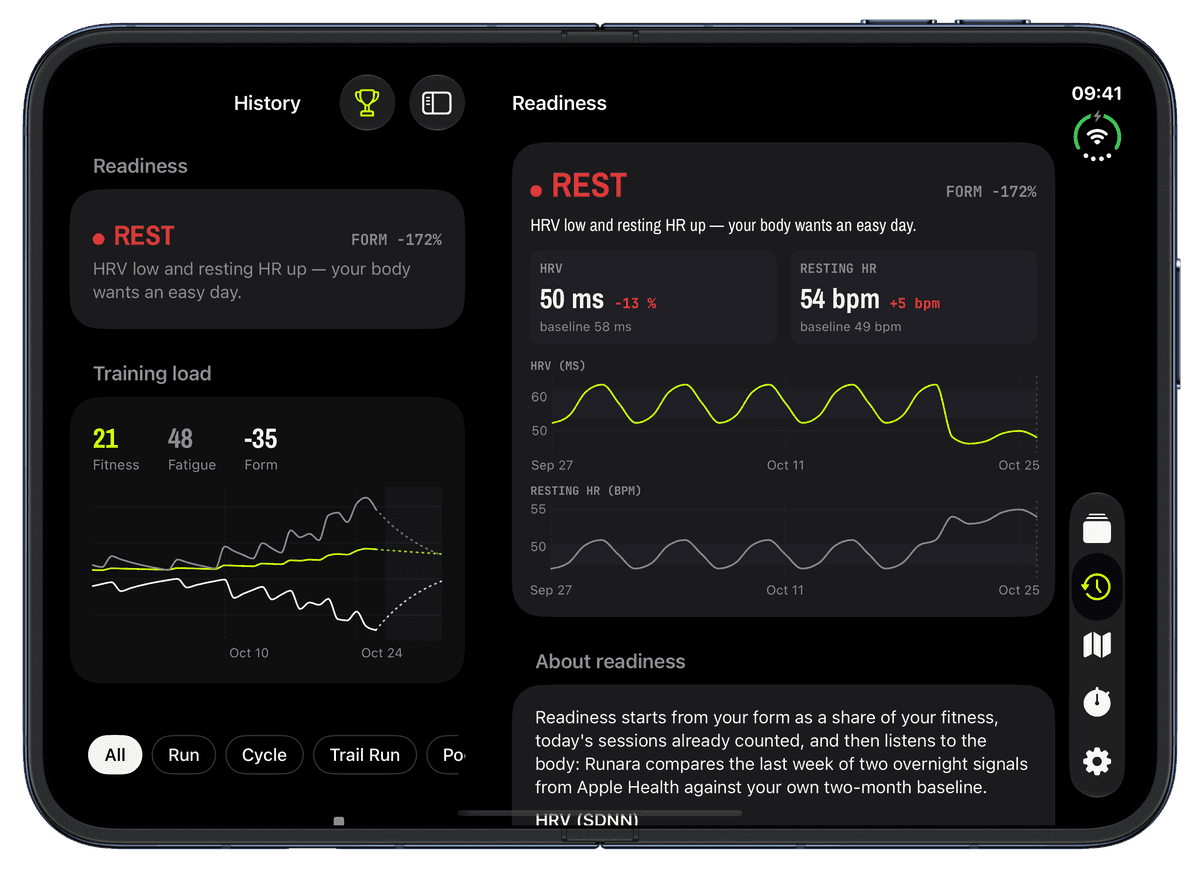
Allow Runara to read HRV and resting heart rate. If the permission is missing, tap “Update Health permissions” in Settings → Apple Health or on the Readiness card in History; until then readiness follows your training load alone.
Wear your watch as usual. It records HRV, on Series 12 and Ultra 4 as often as every five minutes according to Apple, and Apple Health computes a daily resting heart rate.
On every training-load refresh, the iPhone takes each day’s median, averages the last seven days, and compares them with the 60 days before. HRV counts as strained when it sits clearly below your baseline (and at least 5 % lower); resting heart rate when it sits clearly above it (and at least 3 bpm higher).
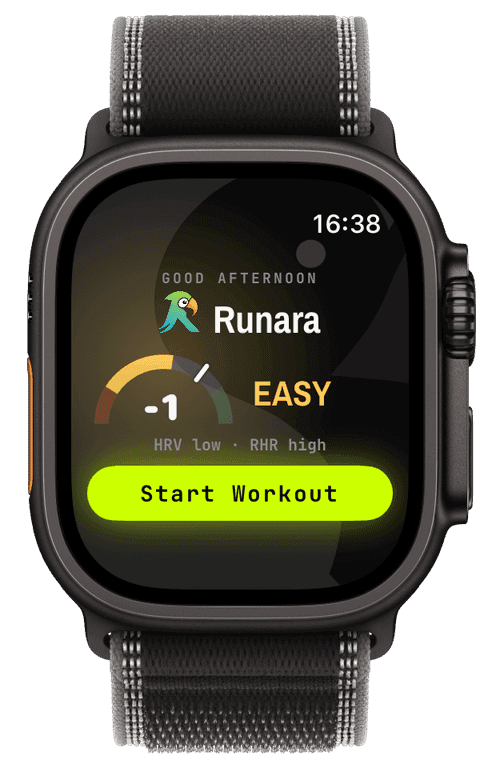
If either signal is strained, the readiness verdict steps down once: GO HARD → TRAIN → EASY → REST. The History card shows your HRV and resting-HR tiles against their baselines, a detail view charts the last 30 days, and the iPhone widgets, the watch complication and the watch’s Start page, a readiness dial with the verdict right above Start Workout, show the reason.
Do I need an Apple Watch Series 12 or Ultra 4?
No. Readiness uses whatever HRV and resting heart rate your watch has saved to Apple Health, and every Apple Watch that runs Runara records both. Series 12 and Ultra 4 measure HRV far more often, so your daily values and your baseline rest on many more readings.
Why does it say there isn’t enough history yet?
A baseline needs data: at least 14 days of values in the 60-day baseline and three in the last week. That’s roughly two weeks of wearing your watch. Until then readiness simply follows your training load.
Can a great HRV make readiness say GO HARD?
No. Recovery signals only ever demote the verdict, by one step. A high HRV or a low resting pulse is good news, but the decision to go hard still belongs to your training load, so a well-rested body can’t talk you past an overloaded week.
Does Runara measure HRV during my workout?
No. HRV during exercise says little about recovery, so Runara reads the resting readings your watch takes on its own, mostly overnight and in quiet moments. The watch app never reads HRV; the iPhone does the maths and sends only the verdict to your wrist.
Is this a medical assessment?
No. Readiness is a training aid that compares you with yourself. It isn’t a diagnosis, and a low HRV can have many causes, from a late meal to an oncoming cold. If something feels off, listen to your body and a doctor, not to a dial.