Keeping the phone in the loop
A Live Activity on the Lock Screen, one renderer to rule three screens, and a tiny complication that took three tries to stop looking broken.
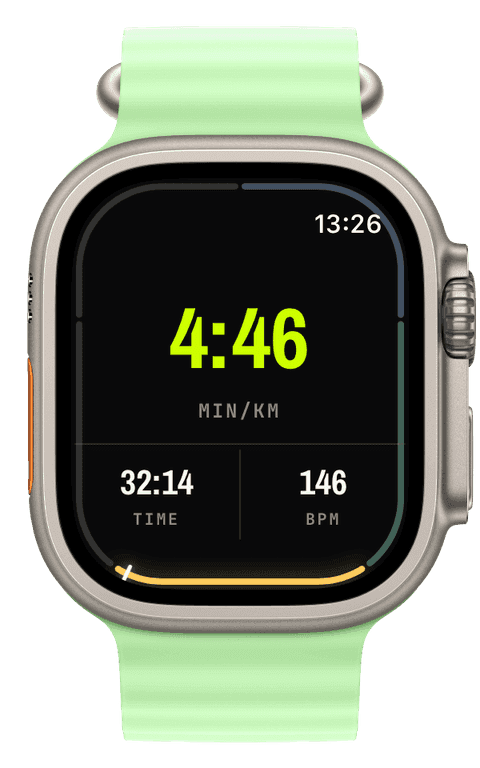
Your iPhone spends your entire run sitting in a pocket or an armband, doing nothing. That always felt like a waste. The watch is the instrument, but the phone has the big, bright screen. So this chapter is about putting it to work, and it contains my single favourite bug of the whole project.
A run on the Lock Screen
The feature is a Live Activity: while a workout runs on your watch, your iPhone Lock Screen and Dynamic Island show a live banner with elapsed time, distance, pace, and heart rate. Glance at the phone, see the run. No app to open.
The mechanism is simple in principle. The watch sends a compact tick a few times a minute, the phone receives it and updates the banner. All over the direct watch-to-phone link, never the cloud, so the phone stays in step with your wrist with no server in the middle.
It did not work. The banner showed up late, or after the workout had already finished, or not at all. And the commit message I wrote when I finally understood why is one I am keeping forever:
fix(sync): deliver Live Activity commands over a non-coalescing channel
Live-Activity lifecycle messages were pushed over updateApplicationContext, the same coalescing, latest-wins rail used for settings. That rail collapses to a single value [...] so while the iPhone sat backgrounded the start was deferred and intermediate commands were coalesced away (sometimes the only value ever delivered was stop, so nothing showed).
Let me unpack that, because it is a beautiful failure. I was sending the "start showing the banner," "here is an update," and "stop" commands over the same channel I use for settings. That channel is designed to be efficient: if you send it five values quickly, it only bothers to deliver the latest one, because for a setting that is correct, you only care about the final state. But for a sequence of live commands, that is catastrophic. The system, with the phone locked in your pocket, would helpfully throw away the "start" and all the updates and deliver only the "stop." The phone dutifully stopped a banner it had never been told to show.
The fix was to give live commands their own non-coalescing channel that delivers every message, in order: an immediate path when the phone is reachable, and a durable queued fallback when it is not.
There is a detail in that commit message I love: "It surfaced now that the watch no longer crashes mid-workout, exposing a full workout's worth of Live-Activity traffic for the first time." In other words, this bug had always been there. I only ever saw it once I had fixed an unrelated crash, because before that the watch never survived long enough to send the full stream of commands that exposed it. Fixing one bug uncovered another that the first had been politely hiding. That is software in one sentence.
One renderer to rule three screens
Around the same time I paid down a piece of debt that had been quietly accumulating. A configured screen, your custom layout of widgets, was being drawn in three different places: the live view on the watch, the idle preview on the watch, and the editor preview on the iPhone. Three places drawing the same thing means three subtly different results, and they were already drifting apart.
So I unified them onto a single renderer. One source of truth, with thin wrappers for the few things that genuinely differ per surface. The bug that proved why this mattered was a good one:
fix(design): render metric numerals at true watch size on iOS
The iPhone editor was previewing numerals about 1.6 times too large, because the preview canvas was hard-coded to one watch size. So you would design a screen on the phone, send it to your wrist, and the numbers would come out smaller than the preview promised. The fix has the watch report its actual screen size to the phone, and the phone previews at exactly that size. What you design is now what you get, which for a configurator is the entire point.
The complication that took three tries
And now the small thing that humbled me.
A complication is the tiny Runara mark you can put on your watch face to launch the app. Tiny. How hard could it be. The answer, recorded permanently in my git history on a single embarrassing day:
fix(complication): use a template silhouette for the Runara mark fix(complication): shrink mark to 64px so WidgetKit archival succeeds fix(complication): crop mark to content + shrink to 48px for archival
It turns out complications do not render like normal images. On many watch faces they render in a tinted mode that ignores your colours entirely and uses the image's transparency as a stencil, so a full-colour app icon with no transparency just flattens into a solid blob. And the system that saves these images to disk silently fails if they are too big, so my proud high-resolution mark was being quietly rejected. The fix was three steps in one afternoon: switch to a proper silhouette template, shrink it to 64 pixels, discover that still was not small enough, crop tight and shrink to 48. A tiny element, three commits, one mildly bruised ego.
I tell that story on purpose. The grand features, the live engine, the offline maps, mostly went in cleanly. It was the smallest, most "obvious" element that ate an afternoon. That is so often where the time actually goes, and any honest build log has to admit it.
Next: the strangest feature in the whole app, born from a pool in my garden, plus a crash that took an on-device debugger and three tries to kill.