
iPhone Configurator
Design your watch screens. Run them live.
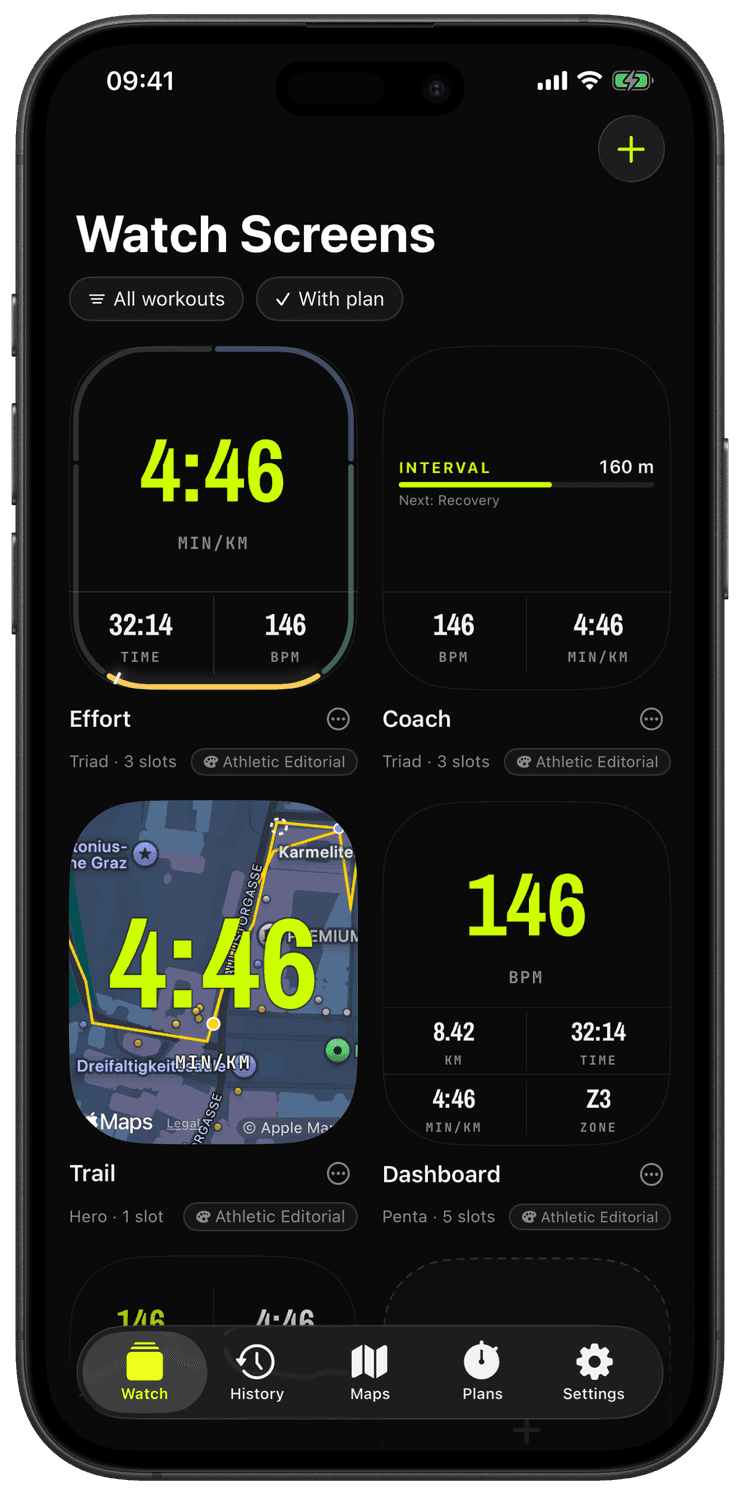
Runara turns watch-screen design into something you do on the big screen. On iPhone you compose swipeable layouts, Hero, Stack, Split, Triad, Quad, Penta, or Dense, and edit directly on a true-size watch preview: tap a slot to change it, drag one slot onto another to swap them.
Choose from twenty-six widget types: current pace, distance, elapsed time, heart rate, an HR-zone band, live ascent and grade, cadence, charts, a live map of your route, or the route-progress, elevation-profile, and pacer widgets. Your screens live in a gallery of watch-shaped cards, hold and drag to reorder them, duplicate one as a starting point, and every thumbnail is a live render of the real screen.
Every screen also wears one of five visual styles. Athletic is the dark instrument default; Instrument Gauge turns rates into 270° dials with a damped needle; Segment LCD draws seven-segment digits over their ghost segments, with an amber night variant; Field Utility is a light, Swiss-typographic paper look; Cockpit Tape borrows aviation grammar with vertical value tapes and a trend vector. Styles mix freely across your screen rotation, and cycling a card’s style chip re-renders the thumbnail live.
Each slot adapts to its size class, so a Hero numeral stays huge and legible while a Dense grid packs six readouts without losing clarity. The configuration syncs to the watch automatically, no cloud account, just a direct device-to-device link.
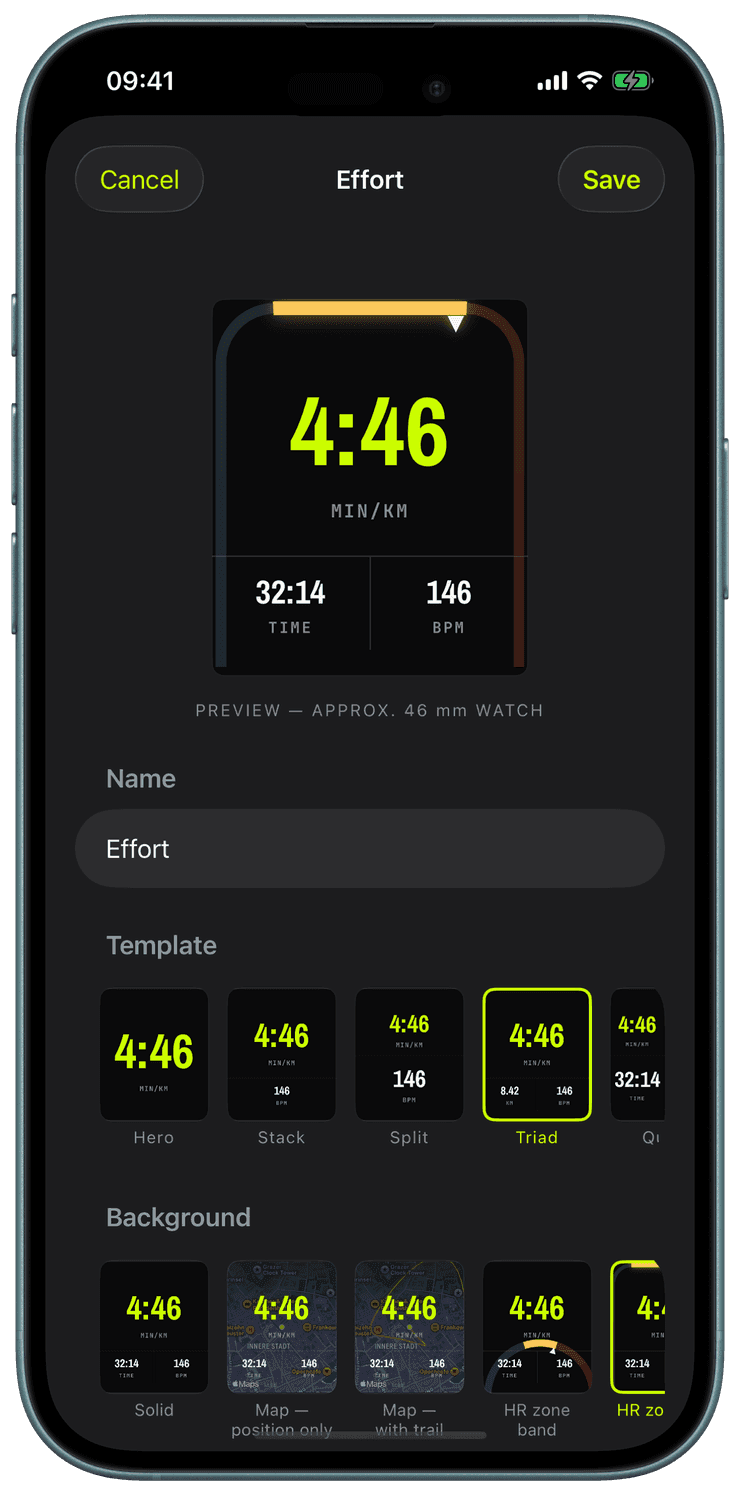
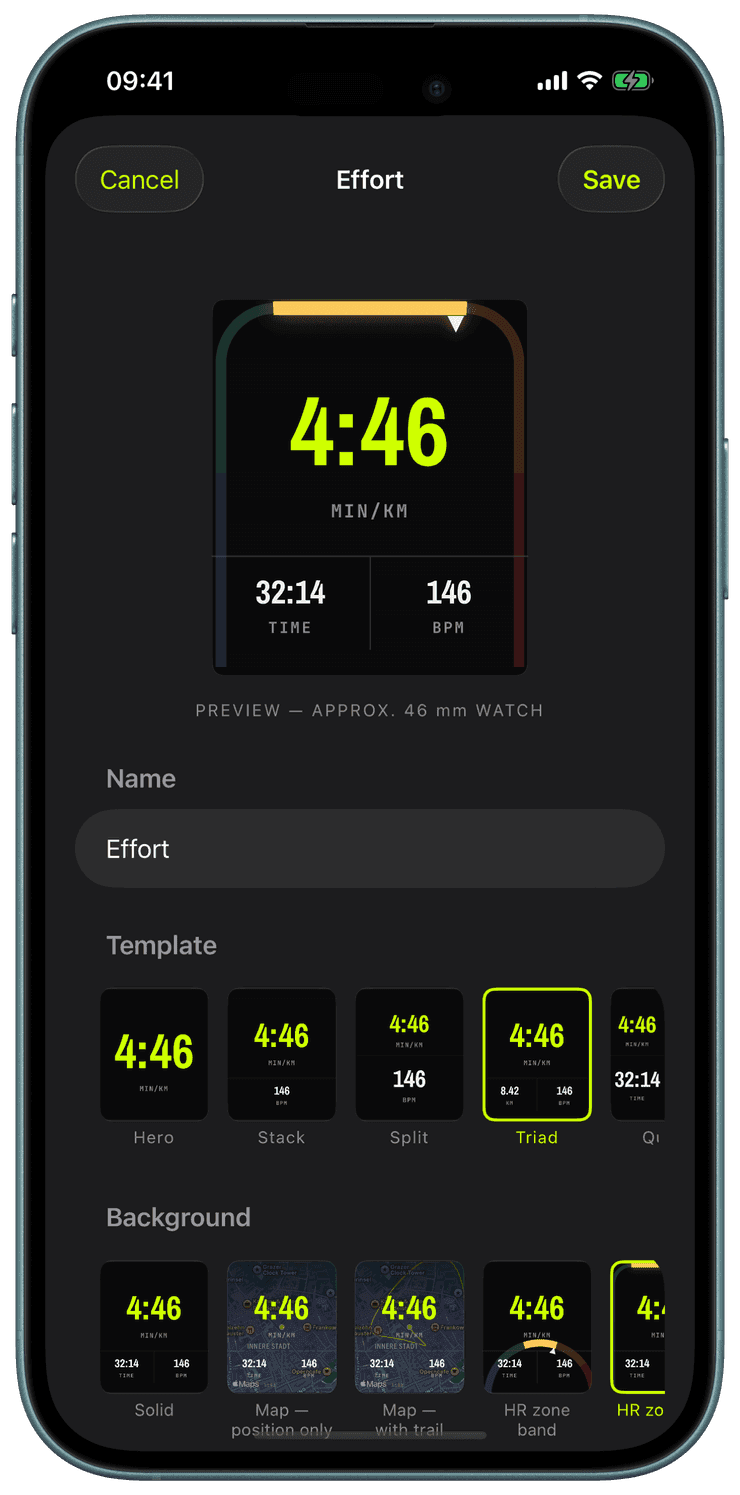
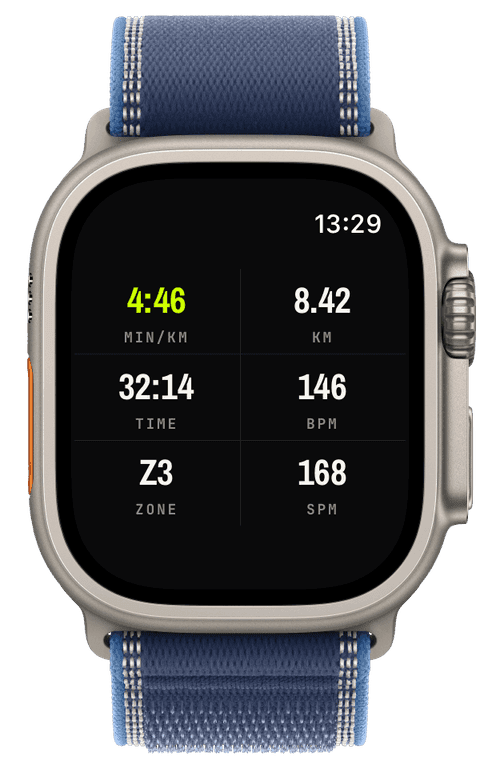
Pick one of seven layout templates, from the single colossal Hero slot to the six-slot Dense grid, and a background: solid, a live map, a heart-rate zone band, a zone rail tracing the display edge, or a dimmed map with the rail on top.
Fill each slot from twenty-six widgets, most with three visual variants, and mark at most one slot as primary, it alone carries the volt accent. Tap a slot on the true-size preview to edit it, drag one slot onto another to swap them.
Dress the screen in one of five styles, Athletic, Instrument Gauge, Segment LCD, Field Utility, or Cockpit Tape. The style picker renders your actual draft screen in each one, so the choice is WYSIWYG.
Tune the details per slot: a speed unit override, a gauge ceiling, a distance goal. Preview everything at true watch size as you edit.
Scope each screen to the sports it belongs to, and every edit syncs to the watch in seconds over the direct device link, no cloud between you and your wrist.
How do screens get to the watch, and do I need an account?
Every edit saves on the iPhone and pushes to the watch over the direct device link within seconds. There is no account and no cloud, the configuration never leaves your two devices.
Can a screen appear only for one sport?
Yes. Every screen has a “Visible for” setting, so your swim dashboard never shows on a run. Screens built around a plan or a route go further and hide themselves automatically whenever no plan is running or no route was chosen.
Can two slots show different units?
Yes, the speed and pace unit is overridable per slot: min/km next to km/h on the same screen, or one screen in each. The app-wide unit stays your default; the override is for the slots that disagree.
The honest polish: shipping v1
Two focused weeks, a wall of small fixes, real device bezels for the screenshots, and an honest accounting of what building this with Claude was actually like.
→Keeping the phone in the loop
A Live Activity on the Lock Screen, one renderer to rule three screens, and a tiny complication that took three tries to stop looking broken.
→Why I built my own running app
I started running again at 41, hated paying a subscription to see my own data, and decided to build the app I actually wanted. Here is where it started.
→